



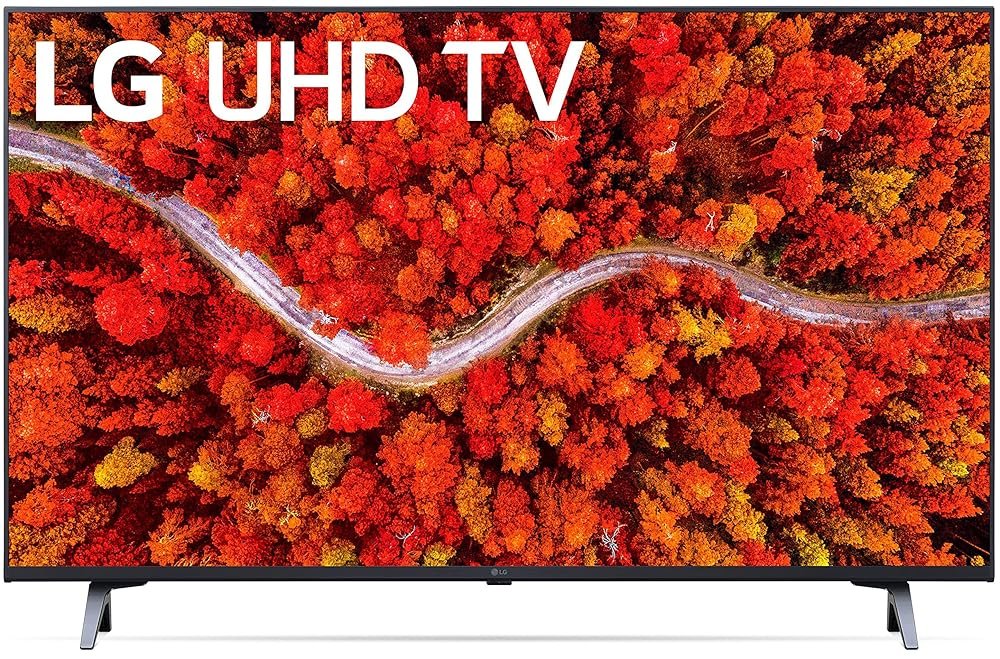
LG 43UR640S9UD 43" Smart LED-LCD TV - 4K UHDTV - TAA Compliant - LED Backlight - 3840 x 2160 Resolution
10 203 040 506 071 000 CFA
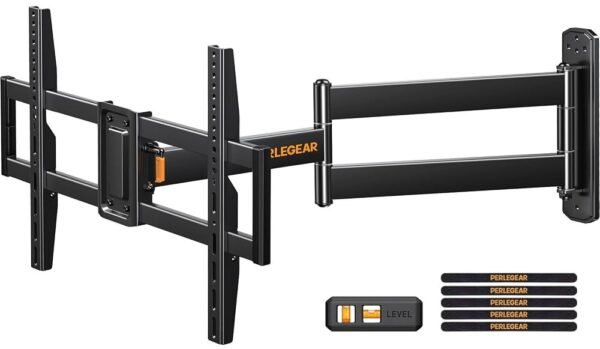
Perlegear Corner TV Wall Mount Long Arm TV Mount Bracket for 32-75 Inch TVs-Full Motion Wall Mount with 32.37” Extension & Swivel Articulating Arm & Tilt, MAX VESA 600x400mm,...
Original price was: 81 CFA.59 CFACurrent price is: 59 CFA.
Sold out


-
 Standard delivery
-
Express delivery
-
 Warranty 6 months
![[Bulk buying set] Panasonic LAMDASH shaver cleaning charger dedicated cleaning agents -6 pieces- (japan import) by Panasonic](https://xampda.com/wp-content/uploads/2025/10/bulk-buying-set-panasonic-lamdash-shaver-cleaning-charger-dedicated.jpg)


 Power Bank
 Mouse
Mouse
TammyBeck –
This was a gift to someone and they seem to love it and all the functions and options it provides (their first smart TV).
Robert –
The menu system sucks
The remote control setup sucks
Could not get cable box remote to work with TV
The instructions suck
It has a pointer built into the remote, it sucks.
What good is a beautiful TV if all of the usability features sucks.
I feel like manufacturers are taking advantage of consumers. Stop hiding stuff. These cute low contrast menus are not good for the average consumer. Why do you care if they are low contrast when they are hidden 99.999999999% of the time. Give the setup menu contrast. And do away with the SMART TV crap. Put more into the interface. If I want a ROKU or Apple TV I will buy it. Stop forcing me to buy SMART crap that is dumber then a box of rocks. I like the picture, but I got so stressed out setting up the TV I almost thru it out. A new TV should be a joy to install and operate. You missed the mark today. Everyday is a test, and you got an F today LG.
ZPHIDIVA –
This is a very nice TV! Don’t get me wrong. It’s just that there are far too many bells and whistles on it. I never thought I’d say that but it’s true.
It’s also likely to be indicative of TVs in general nowadays. I think they peaked with simplistic use use back in the mid-90s. It’s nice to have something of a hybrid SMART TV and cable-ready, but my God! You need to have a degree in Computer Science to operate it.
I’m not that old, but I can’t imagine anybody over the age of 52 being able to operate all of the features that this television has. I consider myself a pretty tech savvy person in that I can usually figure out user friendly things with little to no problem. However, this TV has actually taken me for a loop several times! So much so I have turned it off and decided to try to SIMPLY WATCH TV another time because it stressed me out.
MICHAEL G WILLIAMS –
Look… the things that I desire in a TV really focus display, usability within the platform, and, because i have focused on making home smart, it’s ability to work seamlessly with my other tech. The TV looks great, has amazing visuals but it’s actual user interface is bloated and too hard to use. There are simple things that I’d like to do that I literally have to watch youtube videos to do! The worst part is that unless you use lg and their million apps for your smart home exclusively you have to spend a lot of time trying to figure how to work it into a system you’ve built. I use Google home… everything smart in my house from my speakers to the air purifier work seemlessly..seamlessly… this TV is now the outlier and a source of frustration. Think hard before you buy this.
QK Shopper –
This monitory is a very good value. The screen is fabulous. It’s bright, adjustable, and beautiful. The stand is sturdy (I get no wobble) and relatively very adjustable compared to stands like the one on the $1600 Apple Studio display. So, that’s the first big point to make because it matters a lot. $1600 vs $400.
I have it connected to an M1 Mac Mini using the cable provided by LG. In that use, it does not need to power anything as the Mini and the monitor have their own power. I got a second one of these for my graphics guy who sometimes works in the office. He has an iMAC at home and I got this so he could bring his M1 MacBook Pro into the office and have a decent screen to work on in the office without dropping a lot of money for another set up as good as the one he has at home. In that use case, the LG monitor plugs into his MacBook and powers it, charges it, and connects it to the screen. And, if he wants (not his preference) he can drive the LG monitor with MacBook open and have second screen. That set up works great, too.
The pros are clear.
– Cost
– Screen/image quality
– versatility
Some Cons.
– One of the reasons to consider something like the Apple Studio display if you are Mac user is that the native controls on your Mac can control screen brightness. You cannot do that with this LG. You HAVE to use it’s old style, on screen, system to move brightness up and down. That’s a hassle if you change brightness through the day as conditions change. You will end up just finding the best spot and leaving it at that. Using the little toggle stick thing LG has at bottom center of screen (underneath) is a 4 step process to change screen brightness. If LG improved that, they should allow a user selectable setting to make one of the directions of the toggle (forward, back, right left) control brightness without navigating to brightness control place. In this respect, most Dell monitor controls are better as you can get to changing brightness with two steps not 4. If that bothers you and you change brightness a lot, don’t get this monitor.
– It’s 4k. I’ve only recently been tuning into (many experts describe this on YouTube) how Macs are better set up natively for 5k. That’s why their studio display is 5k. At 4k, it’s doing a little extra work scaling all the time. To me, this is not noticeable and I adjust scaling where I like and it’s great.
– Sound quality is so so for speakers. But, they are otherwise, not really usable anyway on a Mac because you have to control volume with the same, limited toggle system. If you get this monitor and are using on a Mac, I’d set up a USB speaker or something else for your sound so that your keyboard can control the volume. Your keyboard on a Mac anyway cannot control ANYTHING on this monitor.
In summary. Great monitor. I’m very happy with it. So it the graphics guy who works for me. But, if you want native Mac controls and more native Mac resolution (5k), that’s when you might start thinking about spending $1200 more for the Mac Studio. That’s a lot more to spend. (Or, look at the 27 inch LG UltraFine 5K Display 27MD5KL that Apple used to sell that LG still sells for $1300. I have one of those driven by another Mac Mini. It is my favorite monitor, by far, and I’ve had a lot of em.)
This monitor I’m reviewing: Gorgeous screen, great value. It works.
Suzie –
Great TV. Very easy to use. Great picture quality.
Joseph Bourke –
I know there are much more expensive TVs out there, but this one is right down the middle in terms of great picture quality vs cost.
The smart side of the TV can be a little bothersome. Popups here and there suggesting shows I could care less about, and channel offers they want me to sign up for.
The LG Channels are a great plus – lots of choices and really easy to filter out the ones I don’t watch.
The magic remote is really magical! There’s a learning curve, and you can’t be heavy handed with it. The mouse wheel takes practice to master – if you don’t click it straight on you can change the channel, but it will replace all your remotes, which is a real game changer!
I bought the extended warranty, which was not too expensive – good insurance on an expensive piece of tech.